



Key Takeaways
- Google Ads campaign total budget allows advertisers to set one total spend amount for the entire campaign timeline.
- It automatically adjusts daily spending based on performance but ensures the total does not exceed the set budget.
- Advertisers select this option during campaign creation and it cannot be changed once set.
- This budget type works best for time-sensitive promotions and offers predictable cost control.
- Supported for various campaign types, it suits advertisers with defined spend goals.
Google Ads campaign total budget gives advertisers a way to control total spending across a full campaign timeline instead of using daily limits. This budget option is designed for campaigns with fixed dates and defined spend goals.
Google Ads campaign total budget overview
Google Ads campaign total budget allows advertisers to set one total amount for the entire campaign period. The system then distributes spending automatically from the start date to the end date. Daily spend levels change based on performance signals and pacing needs. Google confirms that total spend will not exceed the budget amount entered during setup.

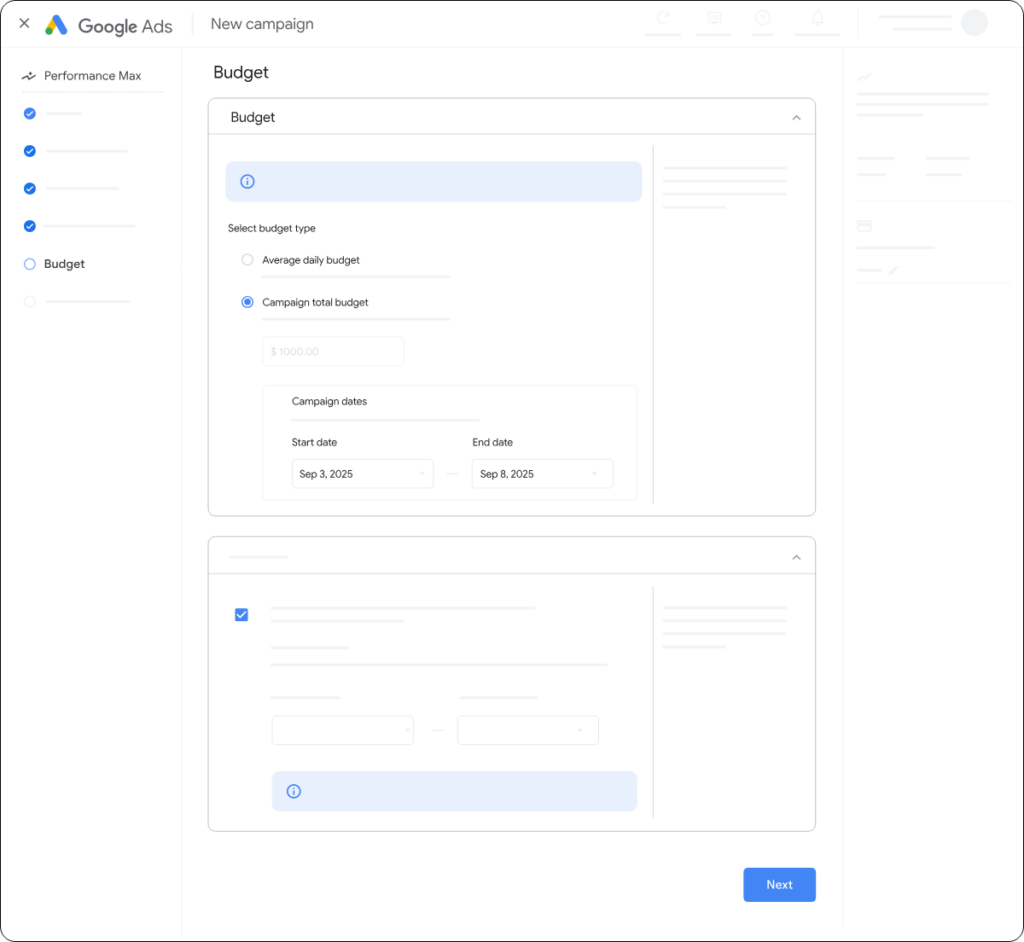
This option differs from average daily budgets. Daily budgets limit spend per day, while a campaign total budget focuses only on the final amount spent by the campaign end. Some days may spend more than others as the system adjusts delivery.
How Google Ads campaign total budget works
Advertisers must select the campaign total budget option during campaign creation. It cannot be applied to existing campaigns that already use daily budgets. Once chosen, the budget type cannot be changed.
The advertiser sets campaign start and end dates, then enters the total spend amount. Google Ads manages delivery to use the full budget by the end date. If the campaign ends early, unused budget is not spent.
Campaign total budgets support automated pacing. Smart bidding strategies do not restart learning when this budget type is used. However, Google recommends avoiding frequent changes, since edits may affect performance stability.
Supported campaign types and bidding options
Google Ads campaign total budget is available for Search, Shopping, Performance Max, Demand Gen, and YouTube campaigns. Supported bidding strategies depend on the campaign type. Options include Maximize Conversions, Target CPA, Target ROAS, and Manual CPC.
Advertisers can monitor budget usage inside the Google Ads dashboard. Reporting shows how much of the total budget has been spent and how much remains.
When to use Google Ads campaign total budget
This budget type works best for time limited promotions, product launches, seasonal campaigns, and events with fixed timelines. It suits advertisers who know their total spend in advance and want predictable cost control without daily adjustments.
The Ads campaign total budget offers a structured option for managing spend across a defined campaign period.
Source: https://support.google.com/google-ads/answer/10486938